Main machine
2023 Apple iMac
The desk machine. Quiet, simple, and comfortable for longer sessions.
Uses
The hardware, software, and small workflow decisions I rely on to build, write, design, explore, and stay organised.
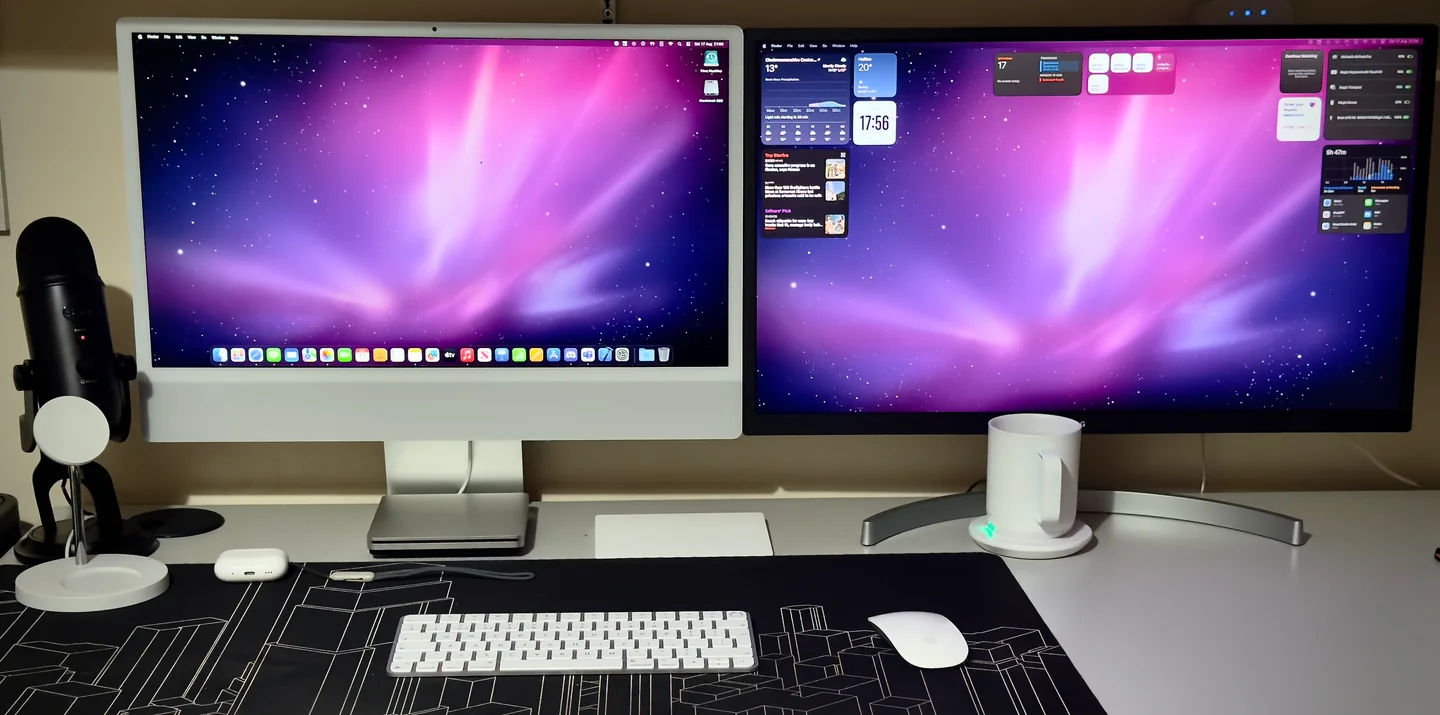
Main machine
The desk machine. Quiet, simple, and comfortable for longer sessions.
Portable machine
The same environment in a smaller form when I want to work away from the desk.
Workflow
My shell, Git defaults, and terminal tools are managed through a small public dotfiles setup.
I prefer a setup that gets out of the way: Apple hardware, a clean desk, and input devices that feel familiar.
Main device
Apple M3 chip · 16GB unified memory · 1TB SSD · 24″ 4.5K Retina display.
Support device
Apple M4 chip · 16GB unified memory · 512GB SSD · 14.2″ Liquid Retina XDR display.
Input
I use both the Apple Mouse and Trackpad, but the Mouse is still the one I reach for most.
Audio
AirPods for everyday listening, and a Blue Yeti when I need a clearer microphone.
My development setup leans towards tools that are fast, predictable, and pleasant to spend time in. I like software that feels powerful without constantly demanding attention.
Most web work starts in Emacs, Apple-platform experiments happen in Xcode, and GitLab acts as the long-term record of what I have built, changed, and abandoned.
Core tools
Code & text
Swift & SwiftUI
Source & project history
Terminal
A lot of my workflow lives in the terminal, but I try to keep it readable rather than overloaded. The setup is designed to be useful every day: quick navigation, visible Git state, good defaults, and tools that degrade gracefully.
Read the dotfiles case studydot
gs
ll
cdf
gacp "Improve uses page rhythm"
The technologies I reach for most often when building modern interfaces, websites, and Apple-platform apps.
I like a simple path from idea to production, with enough automation to help without making the process feel hidden.
Idea
Sketch the shape of the thing.
GitLab
Commit the work and keep history visible.
CI/CD
Let automation catch the obvious things.
Vercel
Preview, ship, and iterate quickly.
The smaller tools and services that support development, writing, communication, testing, and general organisation.
Not everything here is purely about development. Photography, music, and exploration all shape how I think about interfaces and detail.